
Adjusting Samsung smartphone display settings to improve image quality and battery life
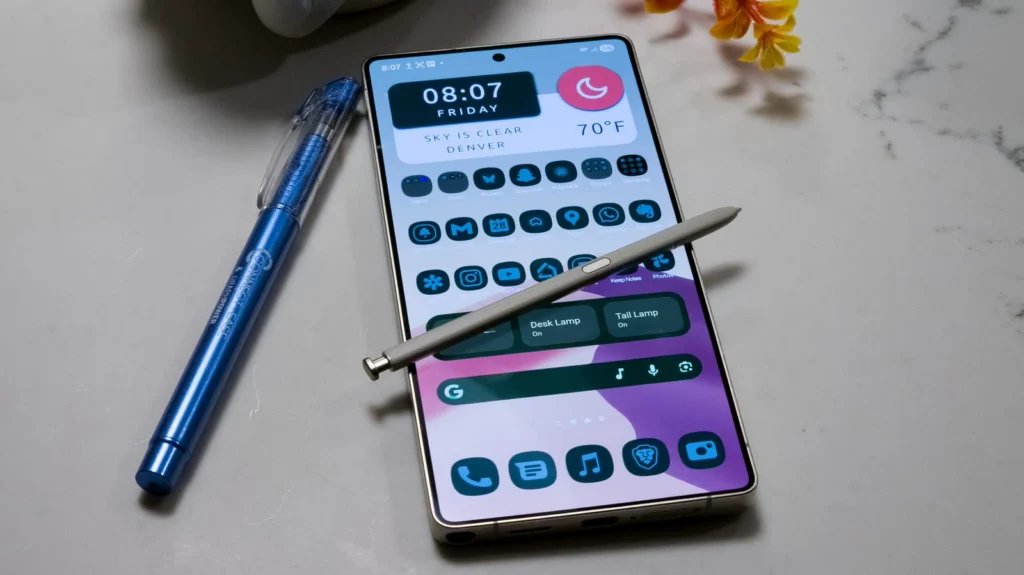
Samsung offers a wide range of features for customizing displays on its smartphones based on the One UI interface. Many flagship models come with default limitations on refresh rate and resolution to save battery life. Users can manually change these settings in the display settings menu by activating an adaptive refresh rate of up to 120 Hz and the device’s maximum resolution.
Reported by Engadget
In addition to the basic parameters, the interface allows for adjusting color modes: Vivid for more saturated shades or Natural for natural color reproduction. For brightness management, there are Extra brightness modes for use under direct sunlight and Extra dim for comfortable reading in the dark.
For advanced display control, users can install the Display Assistant module via the Good Lock app. This software adds the ability to keep the screen on for an extended period or use the Screen Curtain feature, which turns off the screen but allows the system to continue background tasks.
Additional features include the Eye comfort shield for blue light filtering, Adaptive color tone for automatically adjusting colors to ambient lighting, and Video brightness for improving images in media players. Also, Super HDR technology is available for photos, allowing for the display of an extended dynamic range based on the Google Ultra HDR format. The features were tested on the Galaxy S23, S25, and S26 series, as well as the Galaxy Tab S9 and S10 tablets.
Translated with AI from the Ukrainian original
Read next

Most read
- Configuring speed camera alerts in Android Auto
- Eastern Libya administration to demand compensation from Ukraine for strike on Benghazi port
- High Anti-Corruption Court lifts seizure of eight vehicles in Tetyana Krupa case
- Gukesh and Sindarov draw the fourth game of the World Chess Championship match
- New Zealand defeated England in a rugby match at Twickenham Stadium