
Signs and methods of diagnosing USB-C port damage
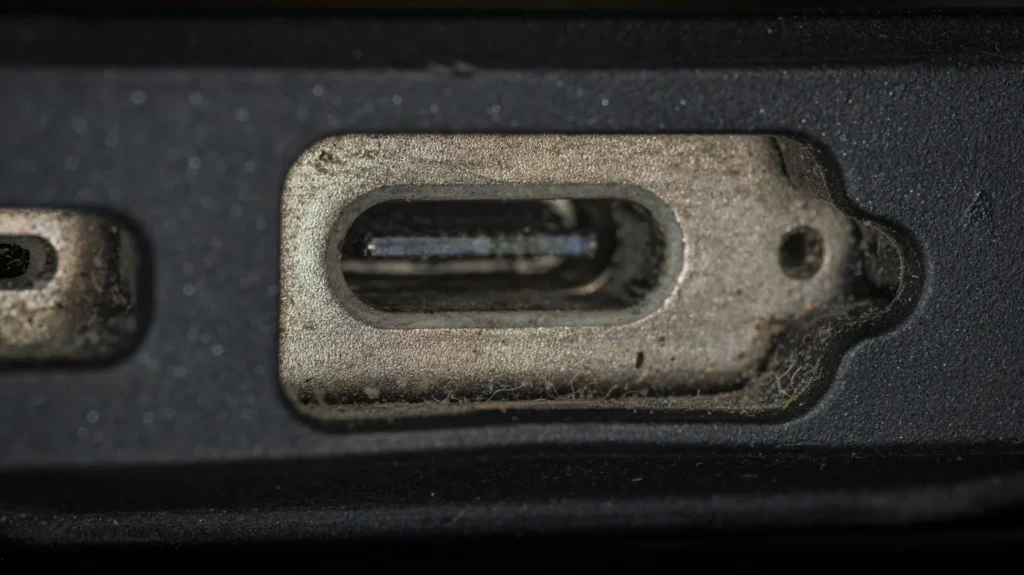
A malfunction of the USB-C port often leads to devices losing the ability to charge or connect to peripherals. Since many modern gadgets rely on this standard for power transmission, a port failure can render the device unusable, especially in the absence of wireless charging support.
Reported by Engadget
To diagnose the port, it is recommended to shine a flashlight into the connector to detect possible debris or bent or broken pins. If debris is found, the device should be turned off, turned port-side down, and foreign objects should be carefully shaken out.
Discoloration inside the port, particularly brown or black spots, may indicate liquid ingress or burn marks. If signs of thermal damage are detected, the device must be turned off immediately and its use discontinued until a professional repair is performed.
If no visual damage is detected, the stability of charging and data transmission should be checked using a verified cable and charger. In the case of computers, problems may be caused by software. Users are advised to check for current drivers via Windows Update or macOS system updates. If one of the ports on a computer has failed, an alternative solution may be to use USB-C hubs or docking stations to expand the device’s functionality.
Translated with AI from the Ukrainian original
Read next

Most read
- Configuring speed camera alerts in Android Auto
- Eastern Libya administration to demand compensation from Ukraine for strike on Benghazi port
- russian troops attacked Ukraine with 140 drones on the night of November 29
- High Anti-Corruption Court lifts seizure of eight vehicles in Tetyana Krupa case
- Gukesh and Sindarov draw the fourth game of the World Chess Championship match