
Using smartphones to scan product barcodes
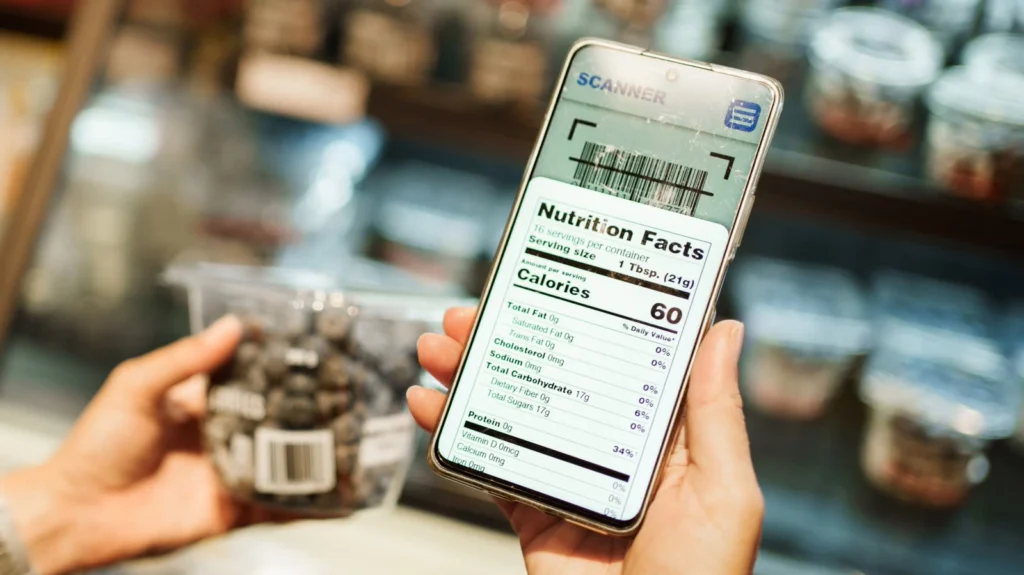
Smartphone users can obtain information about food products, household goods, and other items by scanning barcodes. This feature helps avoid allergens, track sugar and fat content in a diet, and obtain data on prices and product characteristics in stores.
Reported by Engadget
Owners of Android-based devices have broader capabilities thanks to the pre-installed Google Lens tool, where scanning is an integrated feature. iPhone users can use Google Lens through the Google app or the Visual Intelligence feature available on iPhone 15 Pro models and newer, although official support for the latter is not guaranteed. Both categories of users can activate the search via the camera icon in Google Search.
For more specific tasks, such as calorie counting, it is advisable to use apps like Cronometer or MacroFactor. However, experts advise choosing free scanning apps in the App Store and Google Play with caution due to the possible presence of intrusive advertising or risks of personal data leaks.
If the product is free, then most likely, you are the product.
It is important to distinguish between barcodes and QR codes, as the latter are read automatically by standard camera apps. In the absence of codes on a product, Google Lens or Visual Intelligence can identify the item by its appearance, however, generative artificial intelligence results may be inaccurate due to the probability of model hallucinations. Working with databases via barcodes provides more reliable information compared to image analysis.
Translated with AI from the Ukrainian original
Read next
Most read
- Configuring speed camera alerts in Android Auto
- Eastern Libya administration to demand compensation from Ukraine for strike on Benghazi port
- High Anti-Corruption Court lifts seizure of eight vehicles in Tetyana Krupa case
- Gukesh and Sindarov draw the fourth game of the World Chess Championship match
- New Zealand defeated England in a rugby match at Twickenham Stadium